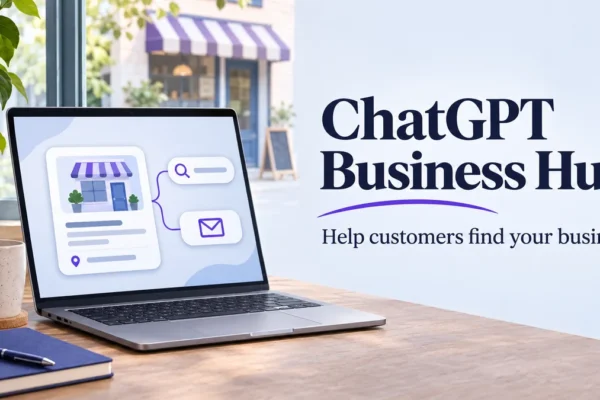
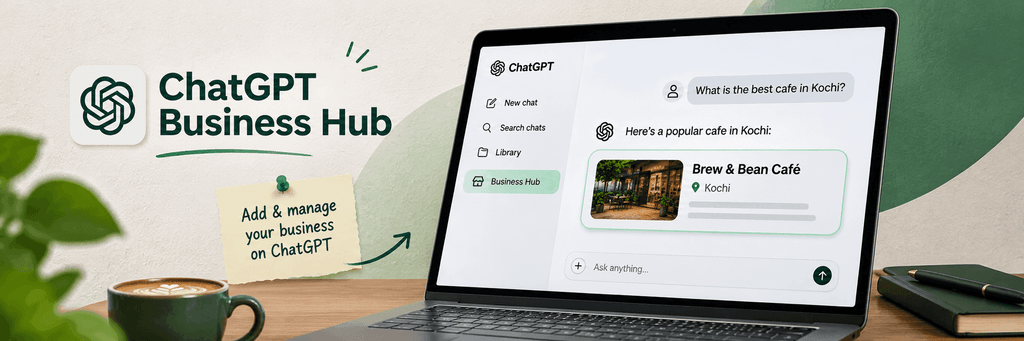
OpenAI launched “Businesses in ChatGPT” in beta on November 10, 2026. The centerpiece is Business Hub a free dashboard where eligible businesses can claim their presence in ChatGPT, keep key details accurate, add product information, and see aggregated insights on mentions and website clicks.
There is no traditional “submit URL” form. ChatGPT discovers websites primarily through crawling and, for claimed profiles, through the information owners provide. Claiming your business in Business Hub is currently the official way to associate your website with a verified profile and supply accurate details that ChatGPT can draw on.
What Business Hub Offers
Once verified, you can:
· Manage core profile details such as website, short description, category, logo, cover photo, delivery/return policies.
· Upload or connect product feeds with pricing and availability especially useful for ecommerce.
· View privacy-protected insights: mentions, website clicks, and discovery topics over roughly the past 28 days.
· For eligible U.S. ecommerce and online-service businesses, create a Business Agent that customers can chat with about your offerings which is clearly labeled and separate from ChatGPT’s own answers.
Claiming does not guarantee higher ranking or more recommendations. OpenAI emphasizes that answers remain independent; the profile mainly helps keep information current and gives you visibility into engagement.
Who Can Claim
· You must own the business or be authorized to represent it.
· Eligible businesses with a website can claim (or, in many online cases, create) a profile where ChatGPT is available.
· Local stores and restaurants are currently limited to claiming existing U.S. listings.
· No ChatGPT Business/Enterprise plan or Ads account is required to claim.
How to Submit / Claim Your Website
1. Sign in and open Business Hub
Log into ChatGPT with the account that should permanently manage the profile (preferably a company-controlled account). Open Business Hub from the sidebar or go directly to chatgpt.com/business-hub. Search for your business by the name customers recognize.
2. Select or create the listing
· If a matching listing appears, select it and confirm the ChatGPT account that will manage it.
· If nothing matches and you run an eligible online business, you can often create a new profile. Choose how customers typically interact with you (e.g., “Through a website” / online store). Enter your HTTPS website URL.
3. Verify that you represent the business
ChatGPT offers methods based on your business type. Common options include:
For domain verification, ChatGPT supplies a TXT record (often with a host/name related to “openai-business-profile” and a unique value). Add it exactly as shown in your domain’s DNS settings (Cloudflare, registrar, hosting provider, etc.). Propagation can take a few minutes to longer; then return and verify. Records sometimes expire relatively quickly, so act promptly.
4. Wait for claim approval
OpenAI reviews the claim and notifies you by email. You can usually cancel while it is pending.
5. Complete identity verification with Persona
This is a separate step required before you can publish profile changes, view insights, connect product feeds, or (if eligible) create a Business Agent. Persona typically asks for a government-issued ID and related business details to confirm you are authorized to represent the company. Matching names, addresses, and registration numbers exactly improves success rates.
6. Complete and publish your profile
Once both the claim and Persona checks are approved, fill in or update:
· Website address
· Business description (often limited to around 300 characters)
· Product/service category
· Logo and cover photo
· Delivery and return policies
· Optional product feed (CSV/JSONL or Shopify sync)
Changes may undergo additional review before going live.
Tips for Success
· Use a stable company account rather than a personal or temporary one.
· Prepare your DNS access (or the person who manages it) and accurate business registration details in advance.
· Ensure your robots.txt allows relevant OpenAI crawlers (such as OAI-SearchBot) if you want broader discovery beyond the claimed profile.
· Keep product data, policies, and descriptions accurate and consistent with your site.
· Monitor the Insights section after verification to understand how ChatGPT currently surfaces your business.
Limitations and Realistic Expectations
Business Hub is still in beta. Availability of creation options, verification methods, and features (especially Business Agents) varies by location, business type, and ongoing expansion. Claiming improves information accuracy and gives you data; it is not a ranking boost or paid placement. OpenAI continues to expand markets and categories.
For the most current instructions, always check OpenAI’s official help article “Setting up your business on ChatGPT” and the Business Hub interface itself, as the beta experience can evolve.
Claiming your business is currently the clearest path to formally associating your website with ChatGPT’s business features. The process is free and relatively straightforward once you have the right verification method and identity documents ready.